
YouTube is one of the biggest platforms for creators, brands, educators, vloggers and businesses. In January 2025, YouTube ads reached around 2.53 billion users worldwide, which was about 30.9% of the world’s population and 45.5% of global internet users. This shows how large the platform is and why creators need to understand YouTube Analytics before planning content.
For a new creator, making videos is only one part of growth. You also need to understand what works, what does not work, and how viewers behave. YouTube Analytics gives you this information inside YouTube Studio. It helps you check views, watch time, click through rate, traffic sources, audience retention, subscribers, revenue and more. YouTube says Analytics can help creators understand both channel performance and individual video performance through key reports in YouTube Studio.
Table of Contents
ToggleOverview of YouTube Analytics Dashboard
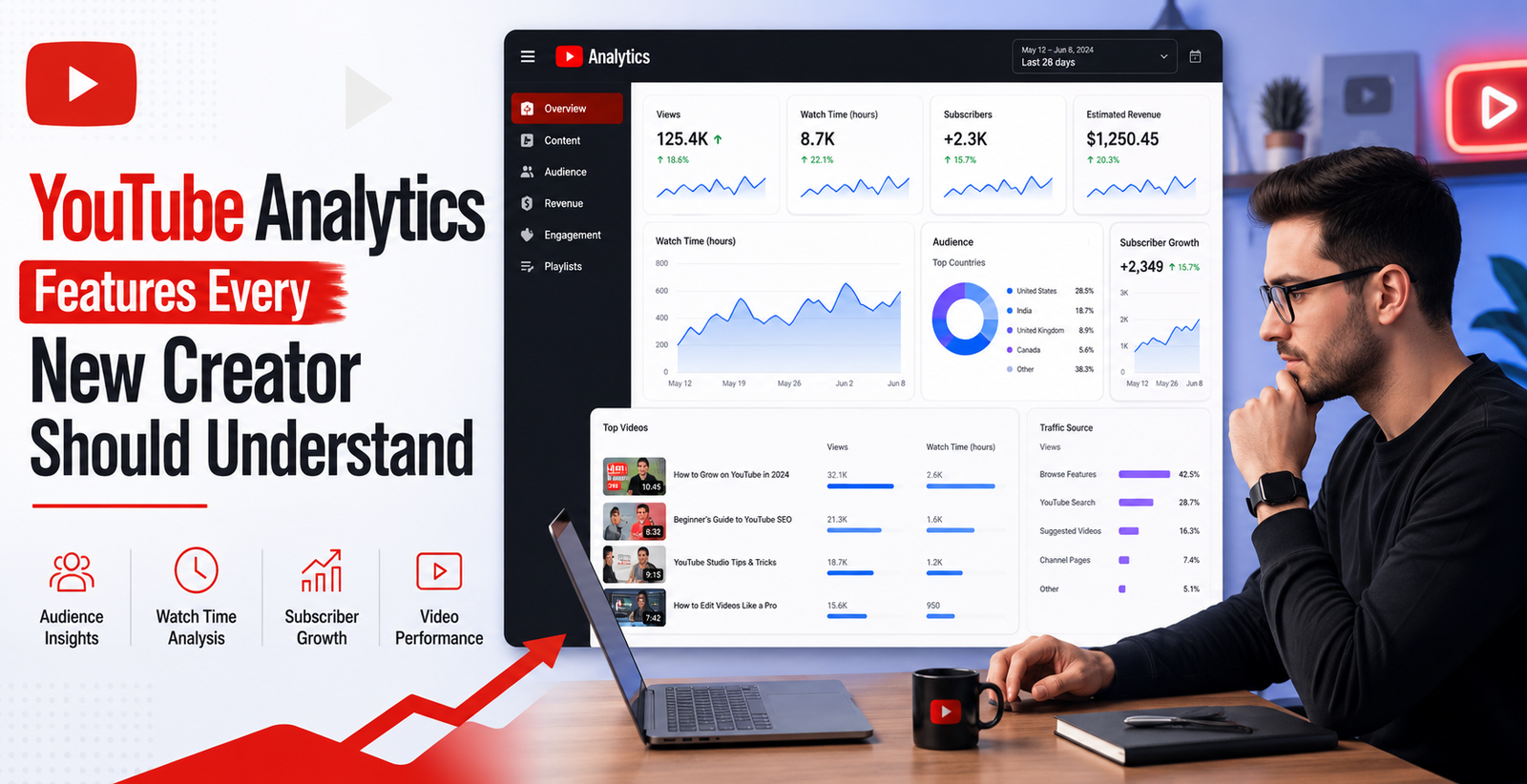
The YouTube Analytics dashboard gives you a quick view of your channel performance. It is available inside YouTube Studio. New creators can use it to see views, watch time, subscribers, real time performance and top videos.
The Overview tab is useful because it gives you a simple performance summary. You can check whether your latest video is performing better or worse than usual. You can also see your real time views, which helps you understand how people are reacting soon after publishing.
For beginners, this section is the starting point. Do not only look at total views. A video with fewer views but higher watch time may be more valuable than a video with many quick exits. The dashboard helps you compare videos and understand patterns over time.
Understanding Views and Watch Time
Views show how many times people watched your video. But watch time is often more important. Watch time means the total amount of time viewers spent watching your content. YouTube Analytics shows watch time in hours. YouTube’s Engagement tab provides key metrics such as watch time and average view duration.
For example, one video may get 1,000 views with only 30 seconds average viewing time. Another video may get 500 views but people watch for 5 minutes. The second video may show stronger viewer interest.
New creators should track watch time because it shows how useful or engaging the content is. If viewers stay longer, it means your topic, intro, structure and delivery are working well.
To improve watch time, start your videos quickly. Avoid long introductions. Tell viewers what they will learn. Use clear visuals, examples and simple explanations. Also, remove boring parts during editing.
Audience Retention and Why It Matters
Audience retention shows how well your video holds attention. It tells you where people continue watching and where they leave. YouTube’s audience retention report shows how different moments in a video hold viewer attention. It can also compare your recent videos of similar length.
This feature is very useful for improving future videos. If many people leave in the first 30 seconds, your intro may be weak. If people leave after a long pause, the video may be too slow. If people replay a section, that part may be highly valuable.
New creators should check audience retention after every upload. Look for sudden drops. These drops show where viewers lost interest. Also look for spikes. These show where viewers found something helpful or interesting.
A strong retention strategy includes a clear opening, fast pacing, useful examples and a strong ending. You should keep the content focused. Do not add unnecessary details only to make the video longer.
Click Through Rate and Impressions
Impressions show how many times your thumbnail was shown to viewers on YouTube. Click through rate, also called CTR, shows how often people clicked after seeing your thumbnail. YouTube defines impressions as thumbnail views on YouTube and CTR as how often viewers watched after seeing the thumbnail.
CTR is important because it tells you whether your video title and thumbnail are attractive. If impressions are high but CTR is low, your topic may be getting shown, but viewers are not interested enough to click.
YouTube also explains that CTR should not be judged alone. When a video reaches a wider audience, CTR may go down because the video is being shown beyond your core viewers.
New creators should test different title styles and thumbnail ideas. A good thumbnail should be clear, readable and relevant. A good title should create interest without misleading viewers. Never use fake promises, because viewers may click but leave quickly. That can hurt audience retention.
Traffic Sources, Where Your Views Come From
Traffic sources show where viewers found your video. This can include YouTube Search, Suggested Videos, Browse Features, Playlists, External websites and Direct sources. YouTube says the Reach tab helps creators understand how viewers find content through YouTube and external sources.
This feature is important because it tells you how your videos are being discovered.
If most views come from YouTube Search, your SEO is working. You should continue using searchable titles, descriptions and keywords. If most views come from Suggested Videos, your content may be connected well to other popular videos. If most views come from Browse Features, your thumbnail and topic may be appealing on the home feed.
New creators should use traffic source data to plan future videos. For example, if search traffic is strong, create more helpful tutorials and question based videos. If suggested traffic is strong, make related videos in a series.
Subscriber Growth and Audience Behaviour
Subscribers are people who choose to follow your channel. But new creators should not only focus on subscriber count. They should also check how subscribers behave.
The Audience tab shows who is watching your videos. It includes insights such as new viewers, subscribers and monthly audience. YouTube says monthly audience shows unique viewers who watched your content in the last 28 days. It also splits viewers into new, casual and regular viewers based on watch behaviour.
This data helps you understand your real community. New viewers show that your content is reaching fresh people. Regular viewers show loyalty. Casual viewers may need stronger reasons to return.
To grow subscribers, give viewers a reason to come back. Create video series. Use a clear content theme. Add a simple call to action. For example, say, “Subscribe for more beginner friendly YouTube growth tips.” Keep it natural and relevant.
Engagement Metrics, Likes, Comments and Shares
Engagement shows how viewers interact with your content. Likes, comments and shares can show whether viewers care about your video. YouTube’s Engagement tab helps creators understand how viewers interact with content and includes reports such as likes versus dislikes and audience retention.
Comments are especially useful. They can give you video ideas, questions and feedback. If viewers ask the same question many times, that question can become your next video topic.
Shares are also valuable because they help your content reach new viewers outside your current audience. If a video gets shared often, it may mean the topic is useful, emotional, entertaining or highly relatable.
New creators should reply to comments when possible. This builds trust and encourages more discussion. You can also pin a helpful comment, ask viewers a question and use comments to improve future content.
Top Performing Videos and Content Insights
Top performing videos show which content is working best. This section helps you understand what your audience likes. You can check which videos get the most views, highest watch time, best CTR and strongest retention.
Do not copy only the topic. Look deeper. Ask yourself why the video worked. Was it the title? Thumbnail? Timing? Topic? Format? Length? Hook? Search demand?
For example, if your tutorial videos perform better than vlogs, your audience may prefer educational content. If Shorts bring many new viewers but long videos bring more watch time, you may need both formats.
YouTube’s Content tab gives a summary of how audiences find and interact with content. It also helps creators view reports such as impressions, top content and how impressions lead to watch time.
Use top performing videos as a guide. Create follow up videos. Make updated versions. Turn one good topic into a series. This is one of the easiest ways for new creators to grow with data.
Revenue Analytics for Monetised Channels
Revenue Analytics becomes important after your channel is monetised. It shows estimated revenue, RPM, playback based CPM and revenue sources. This helps creators understand how much they earn from ads, memberships, Super Thanks, shopping or other monetisation features.
New creators may not have revenue data at first. But they should still understand it early. Not all views earn the same amount. Some topics have higher advertiser demand. Some countries have higher ad rates. Longer videos may also create more ad opportunities if they meet YouTube rules.
Revenue Analytics should not be the only goal. First, focus on building trust, watch time and regular viewers. Money usually improves when your content becomes useful, consistent and audience focused.
How to Use Analytics to Improve Future Videos
The real power of YouTube Analytics is not just checking numbers. It is using those numbers to make better videos.
Here is a simple process:
First, check CTR. If CTR is low, improve your title and thumbnail. Second, check audience retention. If viewers leave early, improve your intro. Third, check traffic sources. If search traffic is low, improve your video SEO. Fourth, check top videos. Make more content around winning topics. Fifth, check audience data. Create content for new, casual and regular viewers.
YouTube Analytics also has Advanced Mode, where creators can view expanded reports, compare performance and export data. This can help when you want deeper analysis.
Useful YouTube Statistics for New Creators
YouTube is not a small opportunity. It is a global platform with billions of users. DataReportal reported that YouTube ads reached 2.53 billion users in January 2025. The same report says YouTube’s global ad reach increased by 1.6% over the previous 12 months, adding around 39.7 million more reachable users.
This means creators still have growth opportunities. But competition is high. Analytics helps you compete smarter. Instead of guessing, you can study your real audience and make better decisions.