
Key Takeaways
- The 7 steps of setting up an Instagram Shop are: to switch to a Business Account, connect a Facebook Page, connect a product catalogue, submit for review, enable Shopping, confirm the Facebook Shop, and tag products.
- Instagram Shop is free to set up and no costs for creating their shop, tagging products apply except for paid ads or fees charged for native checkout selling, if available.
- There are multiple product catalogue integration options with Instagram, such as a product catalogue platform (e.g., Shopify or Fourthwall), Meta Commerce Manager, or via synced product data feed from e-commerce.
- Instagram shoppable content consists of 4 formats – posts, Shop tab stories, shopping ads, and reels – and each format appeals to a unique audience of buyers on Instagram.
Intro
To activate an Instagram Shop for your business, you’ll need to convert your Instagram account to a Business or Creator account, link a Facebook Page, create a Product Catalogue using Meta Commerce Manager or a solution like Shopify and Fourthwall, apply for an Instagram Shop and begin tagging products in your posts, Instagram Reels and Instagram Stories.
Instagram Shop is a digital storefront that companies can create within Instagram, enabling them to showcase and sell products directly through the platform.
The advantages of setting up Instagram Shop include access to ‘high-intent’ shoppers, a seamless shoppable ad experience, automatic product catalogue, building trust through a dedicated storefront, boosting visibility, as well as minimising purchase friction, driving website traffic, and leveraging brand awareness.
Benefits of Setting Up Instagram Shop
Reach High-Intent Shoppers
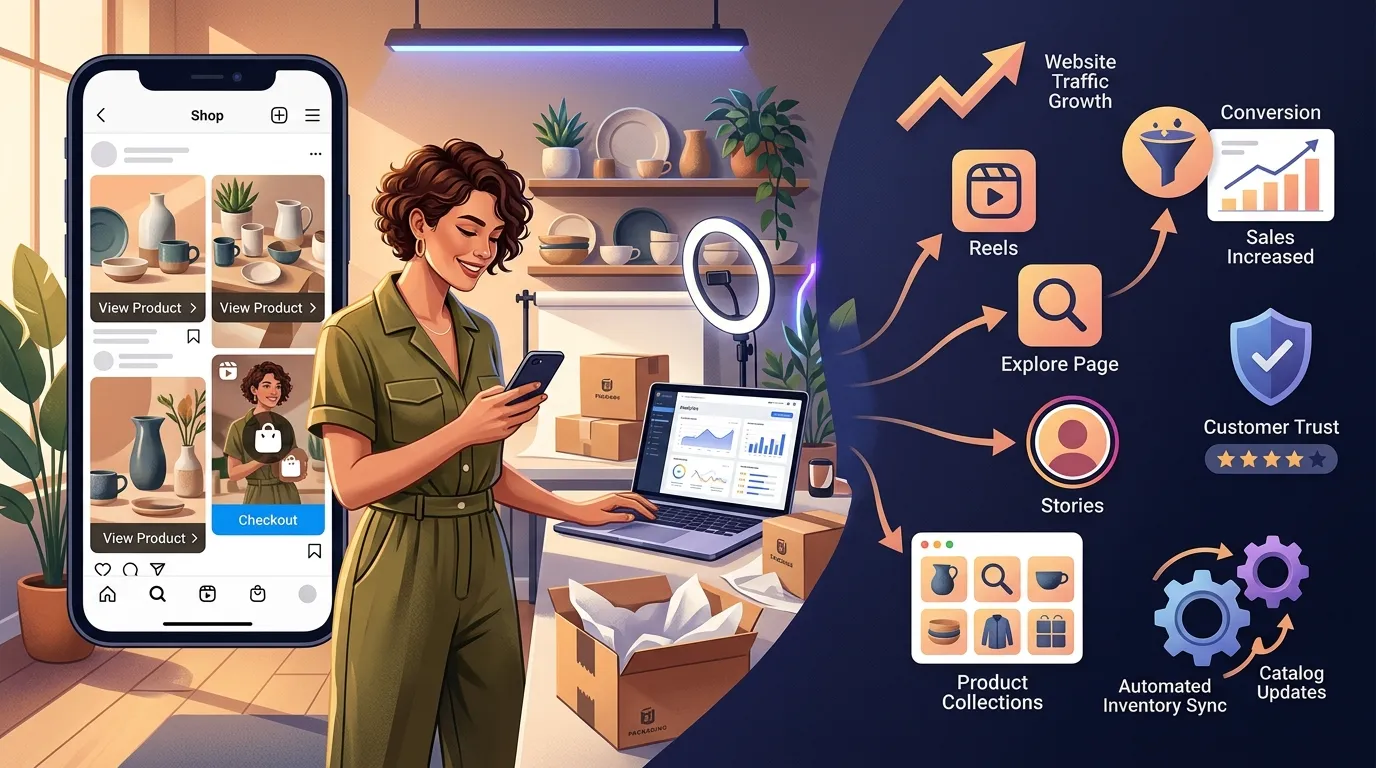
Instagram Shopping will now put items to purchase into users’ feed at a time when they are already searching the app’s Explore page and Shop tab. Visitors have clear intent to buy on these sites, meaning that they’re more likely to convert compared to non-shopping related sites.
Make Posts, Reels and Stories Instantly Shoppable
Product tags eliminates the need for users to first be redirected to a separate website before they can purchase products when posting on Instagram when it comes to converting content into a direct purchasing point for customers. Shoppable content removes friction for shoppers from discovery to purchase.
Automatically Update Your Catalogue
When you connect Instagram Shopping with a platform like Shopify or Fourthwall, inventory, pricing, and product information will be synced automatically. The catalogue is not manually updated, this is provided by the live inventory system.
Establish Trust with Your Own Storefront
A business can leverage a professional Store tab where buyers can now flip through their Instagram Shop before choosing whether or not to buy. Having an organized complete storefront creates buyer confidence over an account with no one is performing it.
Improve Visibility on Instagram
Products that are tagged in content will be displayed on several areas of Instagram such as the Explore page, the Shop tab, product tags in the profile, and Instagram Reels. The more surfaces the better, as it affords more opportunities to new buyers for them to find a product.
Make Life Easier and Improve Conversions
Product tags eliminate a step for buyers from seeing a product to searching for it. The less friction there is of discovery going to the checkout conversion the higher that conversion rate per shop table piece of shoppable content.
Get Even More Traffic to Your Site
Product detail pages within Instagram seamlessly redirect visitors to the product page of the business website. Each tagged product functions as an additional traffic driver on its own, skipping the need for a bio link as being the only clickable entry point.
Create Brand Awareness
A consistent Instagram Shop presence, which includes having high-quality product images, an organized collection, and strategically posting shoppable product content over time, creates brand recognition for users when finding the products they’ve seen throughout the app.
Requirements and Eligibility
Meta Commerce Eligibility Gate
Requirements Checklist
The 6 requirements you need to check to set up an Instagram Shop. The account needs to be switched to a Business Account or Creator Account. The business must be in a ” Supported ” Market. The account needs to adhere to Instagram’s Commerce Policies and Community Guidelines. The business is only eligible for selling physical products as digital products and services are not eligible for Instagram Shopping in most regions. The account need to be associated to a Facebook Page. There needs to be a synced product catalogue in the business with at least 1 synced product that qualifies.
Regional and Business Eligibility
Instagram Shopping is gaining traction in select countries such as most North American, European, and Asian markets, as well as Australia. Designed for businesses selling physical products within the supported regions, businesses are eligible for a review. There are specific businesses that don’t meet the requirements for access to Instagram Shopping, including service businesses, merchants selling downloads, and merchants in unapproved areas.
Is Instagram Shop Free?
Yes, making an Instagram Shop is complimentary. You can create and connect a shop and tag products in content without any cost to Meta. Advertising Charges are effective only when you are running paid Instagram Ads or when the Instagram checkout feature charges a selling fee when you’re running Instagram advertisements that result in a purchase in a country where checkout is available.
How To Set Up Instagram Shop Step-by-Step
Storefront Activation Pipeline
Complete these mandatory processing blocks in linear sequence to minimize account rejection flags.
1. Pro Profile Migration
Convert personal properties to standard Business or Creator configurations within your in-app account panel.
2. Facebook Asset Mapping
Bridge your Instagram account directly to your verified corporate Facebook page inside your operational workspace.
3. Database Catalogue Injection
Upload or connect your product data engine via partner integrations or Meta Commerce Manager dashboards.
4. Compliance Submission Core
Submit parameters to human policy review teams. Operational turnaround times range between 48 hours to 14 days.
5. Shopping Feature Activation
Toggle settings flags on approved profiles and choose your target active database reference.
6. Cross-Platform Validation
Verify that product catalogs display correctly across both your Instagram and Facebook storefront tabs.
7. Live Asset Content Tagging
Bake responsive SKU tags into regular timeline posts, expiring Stories, short Reels, and advertising variants.
Step 1: Switch to a Business or Creator Account
Get to the Instagram account settings, select Account Type, and switch to a Business Account or Creator Account. Switching can only come after getting a personal account as the Instagram Shopping feature is expected to be available for personal accounts.
Step 2: Link Your Instagram With a Facebook Page
In the Instagram settings locate Linked Accounts and connect the Instagram Business Account to a Facebook Page. To connect the product catalogue to the Instagram Shop, you must also have a Facebook Page connected to Meta Commerce Manager.
Step 3: Set Up Your Product Catalogue
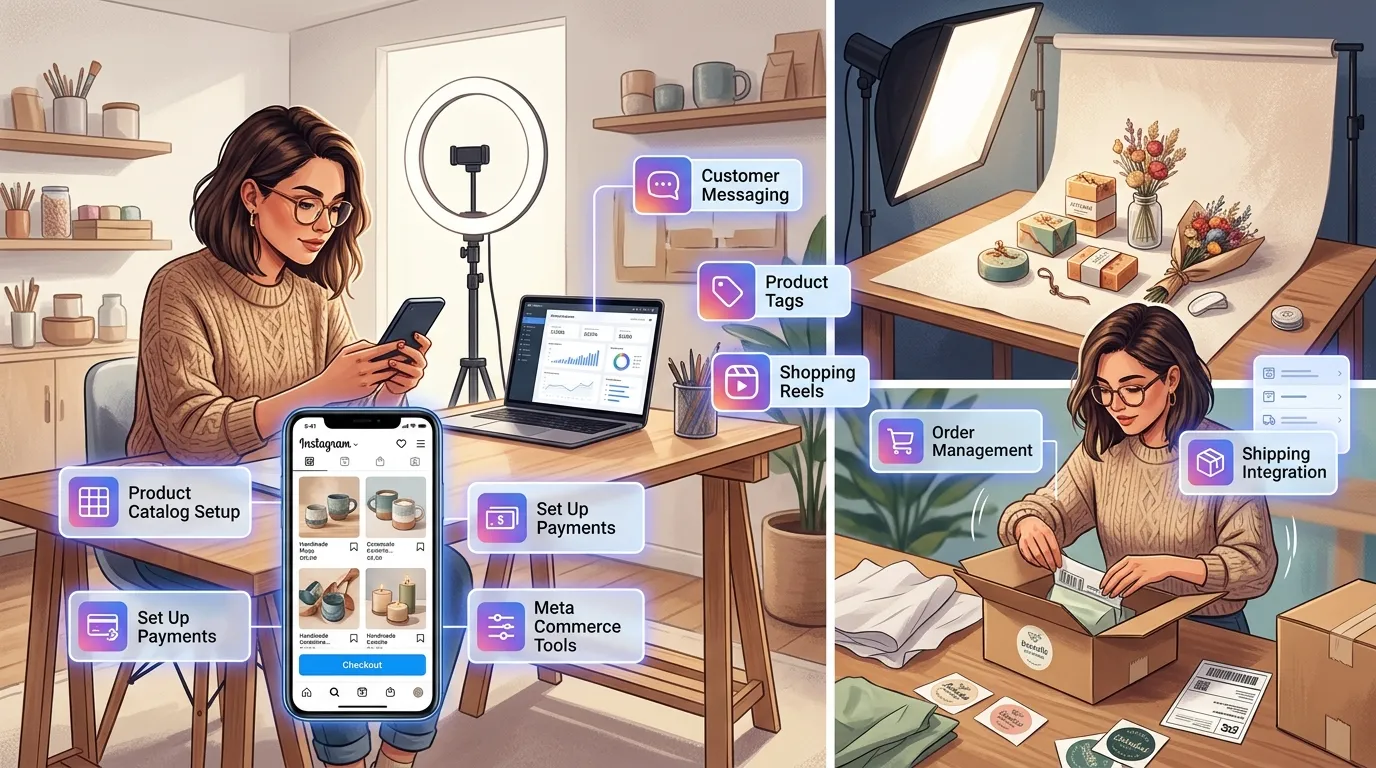
The product catalogue is the database of products from which Instagram Shopping takes the products for product tags and the Shopping tab. There are 3 ways to create a product catalogue.
Integrate with a Platform (Shopify, Fourthwall, etc.)
Integrate a pre-existing eCommerce store such as Shopify or Fourthwall with Meta Commerce Manager via the Facebook Sales Channel of an eCommerce platform. This will automatically update the listings, prices and inventories of products from the existing store without manually entering them again.
Create a Catalogue in Meta Commerce Manager
Upload product images, their titles, product descriptions, price and number of products in stock manually into Meta Commerce Manager to create a catalogue. For businesses that don’t have their own ecommerce platform, this is the most convenient choice.
Sync Your Ecommerce Website
You can use a product data feed (csv, tsv, xml) to synchronise an existing ecommerce site to Meta Commerce Manager. This is suitable for businesses not themselves integrated with the platform as long as the product feed is regularly updated to ensure that the data on the catalogue is accurate.
Step 4: Submit Your Account for Review
Provide Instagram shopping review account via the Instagram app, then Settings, then Business and then Set Up Instagram Shopping. Meta’s review team will review the account in line with their Commerce Policies and this usually occurs within a few days, although some accounts will take up to 2 weeks.
Step 5: Enable Instagram Shopping
Go back to Settings, then Business, then Shopping and choose the product catalogue you just approved to link to the Instagram Shop. This will make sure the Shop tab on the profile is turned on and allows for product tagging on content.
Step 6: Confirm Your Facebook Shop
Pick your Facebook Shop to link to the Instagram Shop in Meta Commerce Manager. If you have multiple Facebook pages or catalogues within the same business, you will need to verify your Facebook Page to ensure that you aren’t showing customers the wrong product catalogue.
Step 7: Start Tagging Products
Product tag products in new posts, Instagram reels, and Instagram stories with the product tag tool in the post creation flow. All tagged products are directly connected to the product details on an Instagram Shop page.
Creating Shoppable Content on Instagram
There are 4 types of shoppable content on Instagram: posts, Stories, Reels, and Shopping Ads.
📸 Conversion Architecture Matrix
Placement DynamicsCreating Shoppable Posts
To make a shoppable post, upload a photo or video as usual, and then before posting tap Tag Products. An image post can allow up to five products to be tagged and a multi-image carousel post can tag up to 20.
Creating Shoppable Stories
Add a Product Sticker to the Story after recording or uploading it to make it ‘shoppable’. The Product Sticker is directly connected to a detail page of the product within the Instagram Shop. A max of 1 product sticker will be showing on each Story slide.
Creating Shoppable Reels
You can upload or record a shoppable Reel in the Reels creation flow and tag products before it is posted. Among all Instagram Shopping post types, shoppable Instagram Reels offer a discovery-driven experience that also provides shoppers with an easy way to purchase the item.
Creating Shopping Ads
Create Shopping Ads by connecting priced products in paid campaigns, through Meta Ads Manager. Shopping Ads are seen all throughout Instagram’s feeds, Stories, Explore, and Reels tabs. Shopping Ads are designed to target users who are showing behavior or interest signals, or purchase intent signals, that are provided by Meta’s ad system.
Using Product Tags
Product tags are the small icons that are tapable on shoppable content, and when tapped, they’re directed to the product detail page. Product tags are used in posts, Reels, Stories and live Shopping events. Consistent tagging of all content types will ultimately raise product impressions without the use of extra advertising dollars.
Best Practices for Optimizing Your Instagram Shop
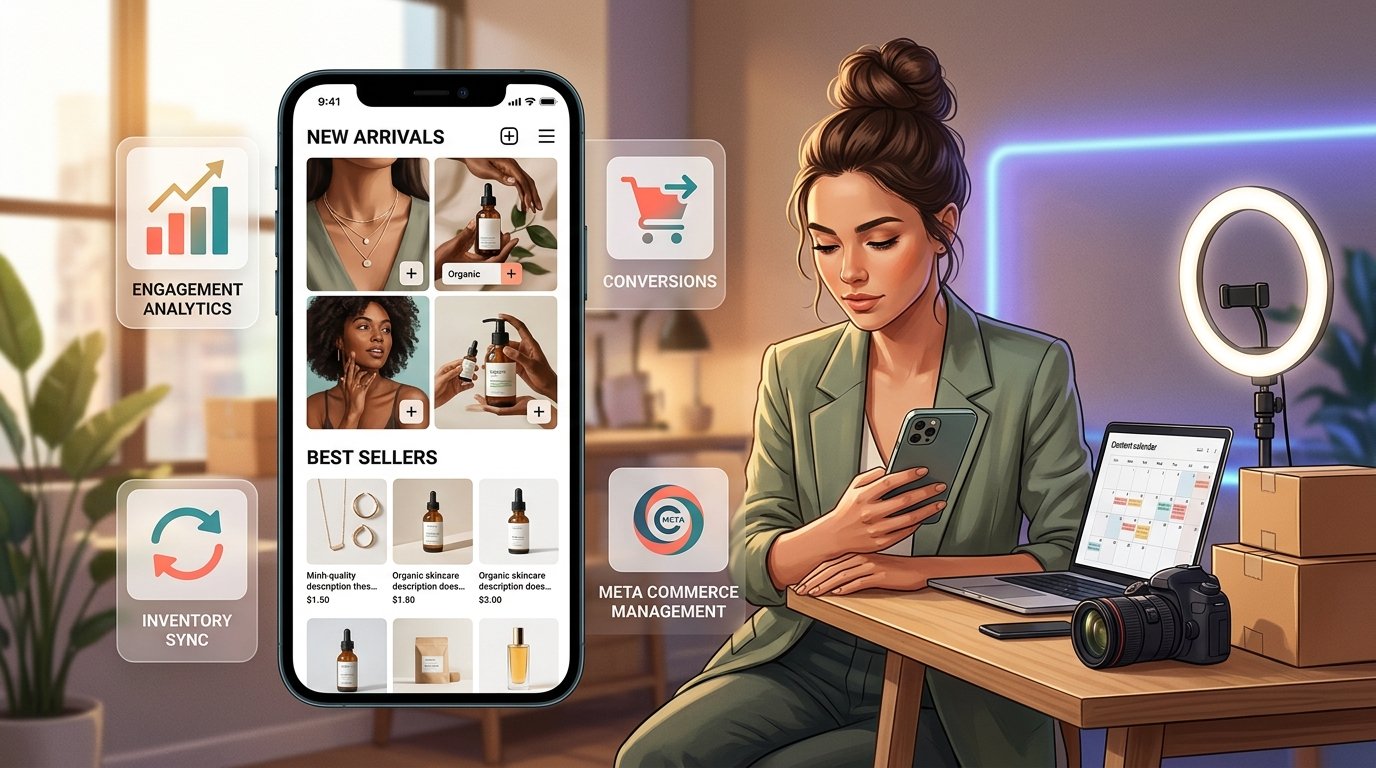
Use High-Quality Product Photos
Upload images at a minimum square post size of 1080×1080 regarding products or minimum vertical post size of 1080×1350. Vertical images are more apt to capture viewers’ attention because they are more likely to fill their screen.
Optimize Product Titles and Descriptions
Use product titles to include a product name and at least one of the product’s features within the first 65 characters, such as materials, color, or size. Describe products in terms of What, Why and Who.
Organize Product Collections
Create collections of grouped products within Meta Commerce Manager around a theme like “New Arrivals”, “Best sellers” or seasonal. Consumers can browse the Instagram Shop more easily with organized collections, which eliminated the need for searching for particular items.
Use Lifestyle Images with Product Tags
Label products within product images as well as lifestyle images of products being used. Lifestyle content featuring product tags has higher conversion rates than catalogue-style photos, the buyers like to see products in a realistic sense.
Keep Product Information Updated
Regularly keep the connected catalogue up to date with pricing, inventory and product description updates. Having wrong information on a product detail page can lead to lost sales and may trigger an inquiry or flag from the Commerce Policy team at Meta.
Stay Consistent and Active
Post new content that can be shopped at least 3-4 times a week and keep your Instagram Shop alive in Instagram’s discovery places. Regular posting, is a sign of an active business, to the algorithm, as well as to visitors to the store.
Leverage User-Generated Content
Any user-generated content (UGC) featuring actual customers with products should be reposted and the product referenced in the repost. By harnessing UGC, brands will benefit the Instagram Shop by creating social proof, without the need for extra product photography resources.
Engage With Your Audience
Respond to comments and direct messages on products within one hour from publishing. Quick responses create an impression of trust and boosts the probability for conversion of a browser to a buyer.
Use Relevant Hashtags
Include 3-5 hashtags with relevant keywords on every shoppable post, so it can show up in people’s hashtag searches as well as product tags. Hashtags and product tags are 2 distinct discovery routes in one single piece of content.
Run Targeted Shopping Ads
Set up Instagram Shopping Ads audience using Meta Ads Manager with users interested in similar products or retarget those who interacted with the Instagram Shop without a purchase. You will generally see a higher advertising ROI when using Retargeting Shopping Ads as compared to cold audience ads.
Collaborate With Influencers
Use Instagram’s Branded Content platform to persuade influencers to incorporate products from the Instagram Shop to their content. Products tagged by influencers can be placed in posts that the company account alone does not have access to.
Offer Giveaways or Discounts
Organize a “giveaway” campaign where people have to tag your business account and post a product picture to enter the giveaway. Discount codes shared through Instagram Stories, using the new Product Sticker can help encourage people to act quickly from existing followers.
Host Live Shopping Events
Take advantage of Instagram Live to promote product with real-time product tags. Live Shopping Events allow customers to ask a question and buy something within a live shopping session, leading to higher conversion for highlighted products.
Start a Broadcast Channel
Send notifications about product launches, restockings, and special discount codes directly to subscribers with Instagram’s “Broadcast Channel” feature. This is because as the feeds go on air, they are not dependent on the feed algorithm to push it to the subscribers as it goes over the air.
Instagram Shopping Features You Should Know
Product Stickers in Stories
The Product Sticker for Stories provides a direct tap to product crosslink inside a 24 hour frame of a Story. Tap through rate is higher when Product Sticker is used behind the scenes type Stories and product reveal content, as opposed to plain image Stories.
Product-Focused Story Highlights
Shop Cindy Story’s product-focused posting will be pinned as Story highlights in the business profile so that shoppable content will stay longer than the typical 24-hour Story time frame. As a result, by organizing by Product Category, there is a secondary browsing experience on profile page.
Behind-the-Scenes Content
Share behind-the-scenes Reels or Stories of the product creation or packing process and include product tags. Behind-the-scenes content can help to establish brand trust and increase the time buyers spend on the Instagram Shop profile.
Showcase Product Variations
Add product photos for each available variation – whether it’s a color, size or material – to Meta Commerce Manager. Displaying all the product options side by side on the product detail page eliminates confusion and therefore, reducing the risk of hesitations among customers.
Tutorials and How-To Content
Share tutorial Swiggy, and has how-to stories that show people how to use a product in your Reels and tag the product. The organic reach of the tagged product is enhanced by the creation of saves and shares with the content of the tutorial, without any extra investment in advertising.
Troubleshooting Common Instagram Shop Issues
| System Fault Signature | Probable Root Cause | Immediate Action Protocol |
|---|---|---|
| Storefront Rejection Flags | Commerce Policy breach, service business profiles, or incomplete business details. | Review alerts in Meta Manager, fix compliance issues, and request a manual review. |
| Catalogue Sync Failure | Expired API connection tokens, CMS plugin conflicts, or bad data column names. | Re-authenticate the shop integration module and clear out any backend server cache rules. |
| Missing Setup Controls | Account evaluation process is still active or identity checks are pending. | Verify submission timeline queues within the Settings -> Business -> Shopping panel. |
| Tagging Options Locked | No single active items successfully passed initial inventory security checks. | Verify that at least one item shows an approved green check inside Meta Manager. |
Instagram Shop Not Approved
The reasons for an Instagram Shop rejection include violations of Commerce Policies, the sale of ineligible product types and account business information incompleteness. Check the reason for rejection in the Meta Commerce Manager notification, fix the identified issue and re-submit for consideration.
Product Catalogue Not Syncing
A product catalogue will not sync if the URL used for the feed has expired, the platform used was not authorized or if the catalogue has formatting errors. Sync the platform integration by reconnecting it in Meta Commerce Manager and re-validating the product feed to bring it back in sync.
Shopping Option Not Showing
If the Instagram account review is still pending or an Instagram account is rejected, Shopping will not be shown in Instagram settings. Navigate to Settings, Business, Shopping and then view the review status; if you see the status as rejected then resubmit the review.
Product Tags Not Working
When no products are approved on the connected catalogue, or the “shopping” feature on Instagram is not fully enabled, product tags are not overlayed on content. Make sure that a minimum of 1 product is approved in Meta Commerce Mananger before trying to tag content.
“View Shop” Button Not Showing
If a person has not completely set up their Instagram Shop or the Instagram Shop is currently under Meta’s review, the View Shop button won’t be on their profile. It requires 7 steps to complete the setup and until fully approved, it will not allow the View Shop button to show on the profile.
Instagram Shop Not Available in Your Country
To participate in Instagram Shopping, accounts must be in supported countries when posting to Instagram; if they are not, they can’t use the feature, and not all countries are supported. Look at the current markets supported by Meta and explore alternatives like using a website link in the bio, until that region is supported.
Instagram Shopping Strategies to Increase Sales
Use Hashtags for Better Reach
Include 3-5 topic-related hashtags in each of your shoppable posts to raise your chances of being found by a user that is searching those hashtags. For relevant buyer traffic, hashtags that focus on a specific type of product are more effective than non-specific, or broad, hashtags.
Use Product Stickers in Stories
Add a Product Sticker to each promo Story for viewers to tap and access product detail pages directly for your product rather than navigating to your profile or searching for the product.
Run Instagram Shopping Ads
Make use of Shopping Ads in Meta Ads Manager to serve ads to those buyers who have already appreciated product material or visited the Instagram Shop. Shopping Ads with a dynamic product catalogue will optimise ad display for every targeted individual by displaying the most relevant product.
Run Giveaways and Discounts
Set up giveaways to have the participants need to follow the account, post a product or comment in order to enter. Followers with already known products will be more inclined to purchase because of discount codes that are shared through shoppable Stories.
Create Instagram Stories and Reels
Post at least 4 times per week with Instagram Stories and Instagram Reels that have product tags in place in order to keep the product visible consistently both in short-lived and long-lasting content. Product Tags on reels will be able to show to non-followers, and Stories will be accessible straight to followers.
Use Smart Hashtags for Discovery
Research hashtags with between 10k and 500k posts in each product category to target search results that are active, but not inundated. A small and targeted hashtag will create quality buyer traffic versus mass market hashtags that have millions of posts competing for viewers.
Host Live Shopping Events
Host Instagram Live Shopping Events on a regular basis to showcase new products, live respond to buyers’ questions and place tags on the products on the live stream for users to purchase. LSEs create urgency which is not created by a static post.
Encourage User-Generated Content
After someone purchases your product, have them take pictures of themselves using the product, and ‘tag’ the business account. Take user-generated content and tag it with products to create new shoppable content that doesn’t require additional photoshoots.
Create a Broadcast Channel
Create an ‘Instagram Product Channel’ for product information, drop events, exclusive discounts for followers, etc. Broadcast Channels broadcast messages straight to opted in consumers, as it skips the feed algorithm completely.
Summary
By opening an Instagram Shop for a business, a product catalogue can directly get linked to the 1,000,000+ user base of Instagram via shoppable posts, Instagram Shopping Ads, Instagram Stories, and Instagram Reels.
In this guide, businesses will find a full-framework covering 7-step setup, 14 optimization practices, and 9 selling strategies to build an Instagram Shop that provides high-intent shoppers, reduces purchase friction, and fosters constant product sales.
Sync product catalogue directly from Shopify, Fourthwall or Meta Commerce Manager, ensure that content remains active and utilise the product tag on all content types, maximising the reach and revenue of the Instagram Shop.