
Key Takeaways
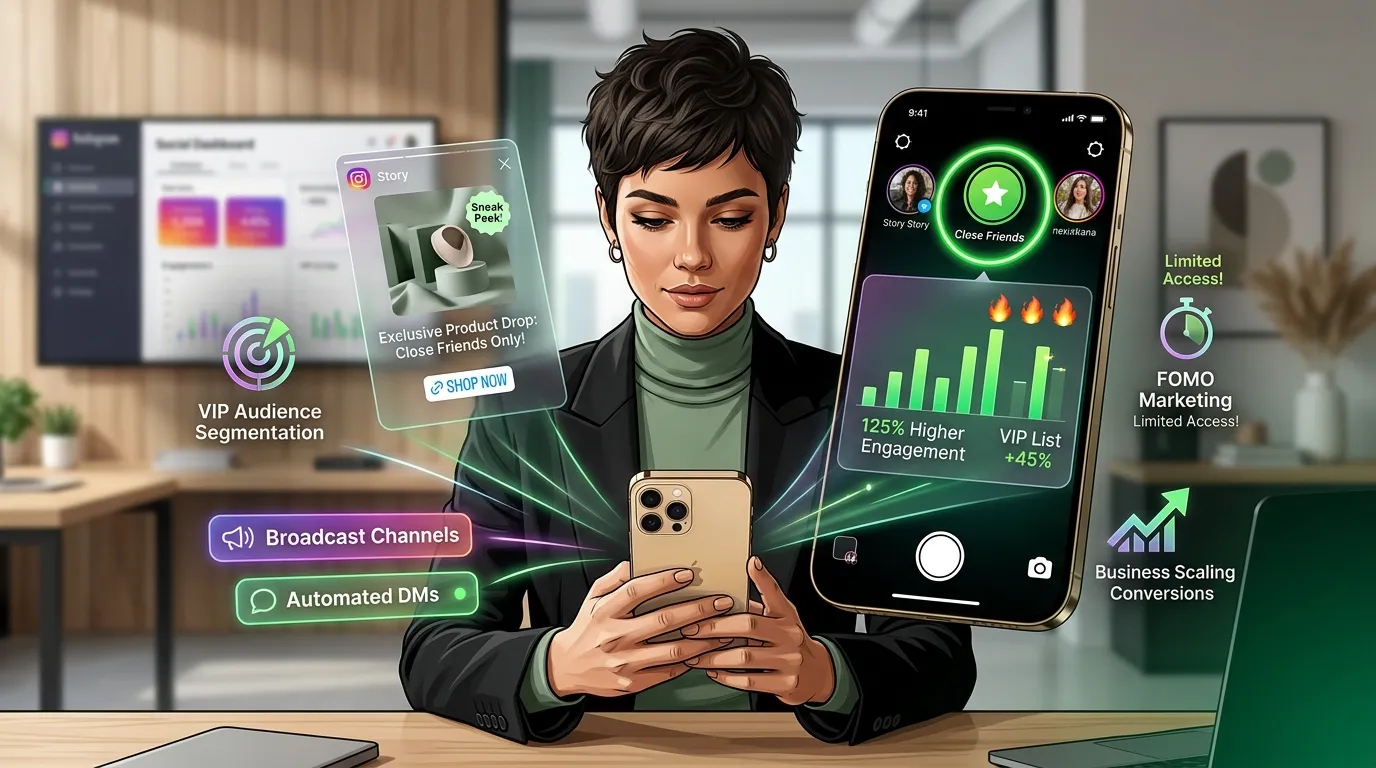
- As a content channel that businesses can offer exclusive content to a scaled-down set of VIP audience via Story, the Instagram Close Friends list also establishes a high-trust atmosphere around the content.
- The Close Friends list can be used in various creative ways, such as exclusive product releases, early access drops, loyalty rewards, and managing collaborations with influencers, among other possibilities.
- Brand ambassadors, superfans/repeat buyers and internal team members are the 3 best follower types to add.
- Adding the Close Friends Stories to Broadcast Channels, DM automation, scheduling features such as Buffer or Sked Social creates a viable built up VIP marketing chain.
- For followers, this is identified by a green circle frame around Close Friends Stories, indicating the exclusive nature and reinforcing the “FOMO effect” which leads to more engagement from non-followers.
Intro
Instagram Close Friends List is a capability of Instagram that allows brands to share Instagram stories only with a specific audience, making it a more private type of Instagram story for distinct offers, communication relating to high-trust connections, or simply VIP-only content. It is based on allowing the account owner to manually add users to a Close Friends list, and post Stories only to that list, as opposed to the following list.
The 4 major advantages of utilizing the Close Friends feature for Business are discussion at hand, specific communication, connection and FOMO (fear of missing out) of non-members. The Close Friends list is utilized by businesses to send out exclusive content, product teasers, loyalty bonuses, drops, manage and collaborate with influencers, and to engage their VIP customers directly.
🎯 The 4 Core Business Growth Anchors
Psychology ModelThen, what is Instagram close friends?
Instagram Close Friends is a feature within Instagram Stories that allows the owner and sender of their Story to share with a handpicked few followers rather than their entire audience.
The shared story will have a green circle around it instead of a regular gradient (pink and orange) to indicate that the information is exclusive. Followers are not notified of additions or removals from the list, and there is no limit to the number of users in a list, the list is completely under the control of the account owner.
Creating Instagram Close Friends List
From Profile Settings (Recommended)
- Tap your Profile Icon at the bottom right.
- Open the top-right Hamburger Menu.
- Select Close Friends from the system list.
- Search handle names and manually check to add.
Direct From Story Editor Screen
- Produce your photo/video asset inside the Story editor.
- Locate the Close Friends icon on the bottom tray.
- Tap the icon directly to isolate delivery settings.
- Hit share; additions can be made on-the-fly if empty.
There are 2 entry factors within the Instagram app that let you create an Instagram Close Friends listing: the Instagram profile settings or the Instagram Story put screen.
From Your Profile Settings
Keep reading to find out how to set up the Close Friends list in profile settings: Open Instagram, tap the profile icon on the bottom right, tap the hamburger icon in the top right, select Close Friends, and add followers by searching for them or scrolling through a list. This is the most effective way to get the first list, before the first Close Friends Story is posted.
Press B to select your story.To select your story press B.
To create Close Friends list from a Story post, create a Story as you normally would, and then choose Close Friends rather than Your Story on the sharing screen and tap Share. If there are no people added, Instagram will mention the option to add at this point.
You can add close friends through Instagram by following the steps.
To add followers to the Close Friends list, visit the Close Friends section, under the profile menu, and search for the follower’s name in the search bar, then tap Add next to the follower’s account. The follower added to the list will not be informed by the business that it added him/her to the list.
To edit the Close Friends List:
Close Friend list can be edited when revisiting the Close Friends section in the profile menu at anytime and tapping Remove next to any account will remove the account from the Close Friends list. When users are added or removed from the list, no notification is sent to the account to which they were added or removed, allowing businesses to manage their list’s membership without changes being awkward in public.
Close Friends for business offers a variety of advantages
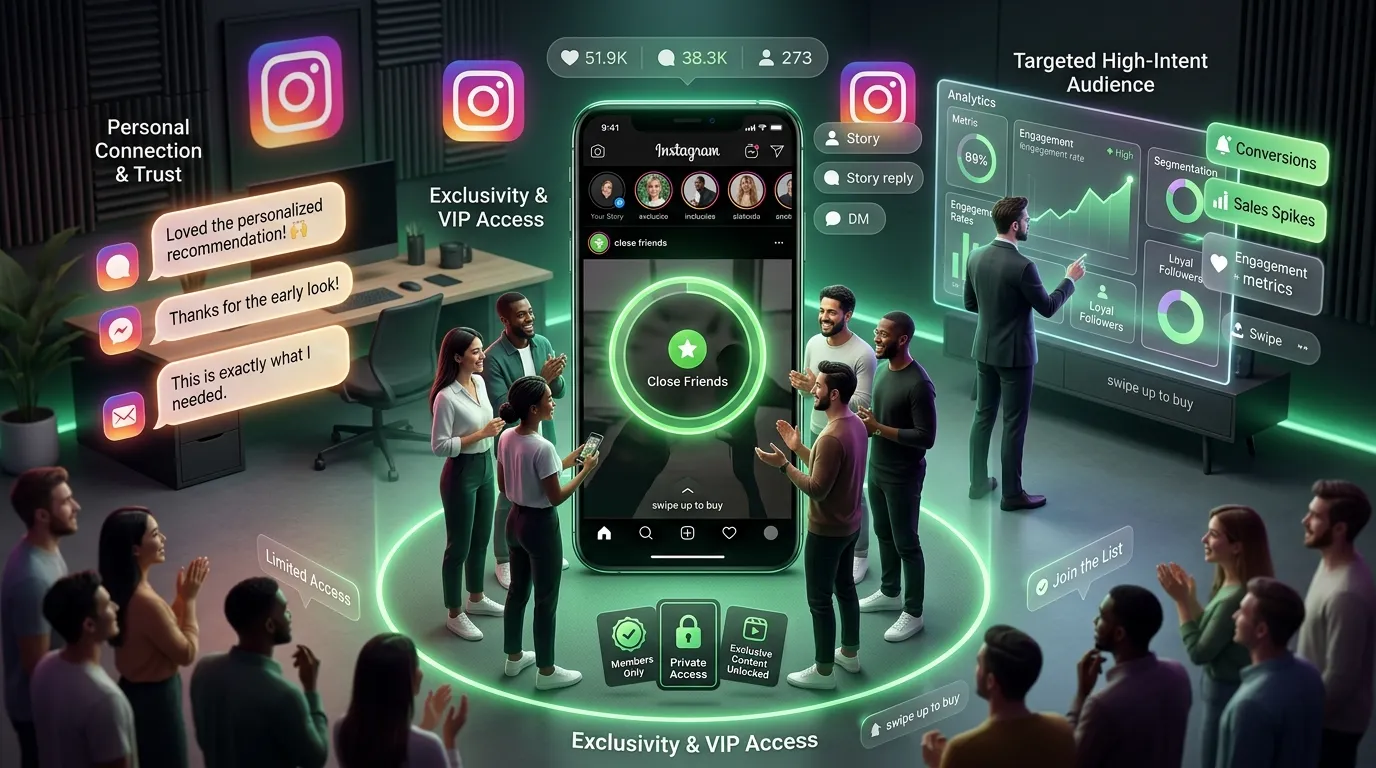
The Instagram Close Friends feature has 4 key business-growth advantages.
Why It’s Exclusive (and people like that)
There’s more perceived value in content that is seen only by a select group of people versus content that is public. Knowing that this is hidden away, the content seems as if a privilege than regular marketing message, which helps open rates and engagement.
You are talking to People Who Care
With the Close Friends list, the business can directly target viewers that reveal the very best engagement, buy prices or brand name dedication. By marketing to this target audience you are cutting out the noise of a large targeting group and presenting the information to the people most likely to take action.
It Feels Personal
Close Friends Story produces a one-to-many message which individual recipient views as a personal, private communication from the brand. This personal touch helps buyers feel more comfortable with the promotion, and less resistant to it’s being pushed to them from the main feed.
People want to be a part of something (Hello FOMO!)
Official statements about businesses using Close Friends List for exclusive privileges kindle envy in those who are not included in the list. If there’s some sort of sign-up exclusive or deal that followers know they’re missing out on, they’ll have a clear incentive to engage with the account in more ways and indicate that they’re interested in being a part.
Close friends for business: creative ways to use it
Here are 21 creative ways to make use of Instagram Close Friends list to promote business.
Behind The Scenes ONLY: Make Your Customers Part Of The Brand
Post only on Close Friends lists behind-the-scenes Stories of product making, packing, and/or team meetings. Behind-the-scenes content helps brand loyalty by causing selected followers to feel like they are in the know and not an outsider.
Close friends – EXCLUSIVE Drops & Experiences.
Let your Close Friends know about any limited product drop, event tickets or special experience before letting the world at large know. The early access yields a reward for the family friendly customers and creates word-of-mouth customers who are part of the Close Friends who pass on to their followers.
Close friendship and co-creation.
Use Story polls and sliders to have members of your Close Friends list give their input when you’re thinking about a new product, packaging or content topics. This co-creation will help create a sense of belonging among VIP followers, and provide genuine feedback from a market without needing to directly ask through a survey or focus group.
Close Friends Personalized recommendations.
Recommend a product/service directly to the Close Friends list based on purchase history/preference of the particular group. Personalized recommendations via a private Story channel have a higher conversion rate than product posts in the main feed.
Member Concierge For “Close Friends”
Include a concierge type of service within the Close Friends list that allows members to DM questions, customized advice, and/or priority assistance. When combined with a concierge channel, the Close Friends list transforms into a private layer of customer service for the most valuable customers.
Give away Rewards to best followers.
Send offers such as exclusive discount coupons, free shipping and/or loyalty points directly to members of your Close Friends list, who are customers that consistently engage or make purchases. The Close Friends list encourages the delivery of rewards as it’s not a mass email promotion, therefore it has greater significance.
Send Exclusive Content and Offers to VIP/Group Members
Create a VIP (very important person) tier among fans by leveraging content and promotions that are exclusive to subscribers through the Close Friends List. This provides a good reason for VIP members to stay engaged with the brand and avoid losing their exclusive access to Stories.
Collaborate With Influencers
Send influencer partners campaign briefs, schedules, and feedback privately, including via the Close Friends list before a campaign launches, to coordinate with them from a brand standpoint as appropriate. Only sensitive information for influencers’ campaigns will be managed through Close Friends, avoiding the public feed and direct message for managing.
Thank Your Good Customers Using a Video!
Make a short personal video, making sure to mention each Close Friends list member by name or to all of them collectively, and post it only in the Close Friends Story, and only thanking them for their continued support. A direct thank you video is a more effective way to create loyalty as it is perceived as a message intended especially for that community as opposed to a generic public appreciation video.
Get Early Feedback
Try out prototypes, draft content, or new service ideas with the Close Friends list and obtain honest feedback with a Story poll, an emoji slider, or a question sticker. By getting feedback from existing loyal customers, the chances of this poor reception of the public launch are reduced, and the brand has data before it goes public that they can use to improve the offering before everyone gets a chance to try it.
Set up a “Gated VIP Experience” for various formats.
Integrate subscription-only content, Close Friends Stories, and Unlockable Reels to create multiple layers of VIP experience, where the most active audience can be rewarded in multiple ways at once. These tools are also seen as adding additional layers to a member of “Close Friends” and the value thereof over a single content type.
Become more efficient at communicating with brand partners or collaborators
Create a specific Close Friends list that contains only brand partners, agency contacts, or business collaborators that you’ll use to provide updates, share campaign materials and request feedback. Close Friends acts as a communication area for a partner, which will decrease relying on chains of emails and maintain collaboration organized in one spot.
Create your own culture haven for your team or community.
Add co-workers and/or community moderators to a Close Friends list and share company announcements, culture snaps and internal news via Stories. This will allow a certain team to communicate without having to use an additional internal communication tool for short messages, since Instagram is a tool everyone knows.
Provide incentives or loyalty plans.
Connect the Close Friends list to a structured loyalty program to general only access of the list to customer who have either surpassed a purchase threshold or engagement milestone. The loyalty program member with Close Friends status will have a clear and tangible stimulus that will drive purchasing behavior.
Send Direct Message to Your Followers.
Use DM to touch base with precious friends and have an exclusive two-way conversation with them. One behind-the-scenes point to note is that the DM conversations from Close Friends Stories create personal connections that go beyond what the public content can achieve on the same level.
Send questions to Your Followers.
Ask questions, collect opinion, preference and feedback from a specific set of high-engaged fans with question stickers and polls on Close Friends Stories. People within the Close Friends group are more likely to give a thoughtful answer to the question compared to the entire group because they feel more connected to the brand in a smaller group.
Unique promotional discount codes.
Use closed Friends Story channel only to share discount codes with a one off or a limited quantity to make it feel urgent and make people feel like they’ve got something for joining a list. Shared codes within the Close Friends list are also trackable links which can be combined with UTM parameters to let the business know how much revenue is generated from the Close Friends channel.
Exclusive Product Launches
Add new product to Close Friends list 24 hours – 48 hours prior to public announcement to allow loyal customers a window to get a first taste of the new product. The exclusive timing of these product launches via Close Friends usually leads to more conversions during the first day of the launch than in a regular email, or public post.
Exclusive Freebies & Downloads
Use Close Friends Stories to share downloadable resources, templates, guides or digital freebies with a link in the DM or bio that can only be accessed by the Close Friends group. Exclusive freebies help drive the point home about the worth of being a Close Friends member and provide a concrete cause for the list members to remain involved with the brand’s Stories.
Secret sessions/interviews with brand celebrities or industry experts.
Share a recording or invite link for exclusive live sessions, recorded interviews, or a Q&A event with industry experts or brand influencers, via the Close Friends Story. Secret sessions has the brand appearing to be a curator of access of value, not just a brand selling products.
Sneak Peek & Behind the Scenes
Give work-in-progress content, unreleased product images or early campaign images to Close Friends list before a teaser image or video is published to any public announcement. Sneak peek content encourages excitement and hype among the most dedicated followers and may provide them social currency to spread the excitement to their audience, organically including the upcoming public launch.
Traditional Question #1: Who should you add to your near list?
📐 High-Yield Audience Segmentation Matrix
Isolate your contacts into clean, functional targets to align content with intent.
📣 Brand Ambassadors
Purpose: Distributing briefs, raw campaign materials, assets, and schedule coordination quietly ahead of time.
🛒 Verified Superfans
Purpose: Powering repeat customer purchase rates via early token codes, feedback polls, and unreleased drops.
🏢 Internal Staff
Purpose: Quick distribution of workplace culture updates, short operational alerts, and company announcements.
For business purposes, you can add 3 types of followers in the Instagram Close Friends list.
Educator Brand Ambassadors / Affiliates
Invite brand ambassadors and affiliate partners to the Close Friends list to receive campaigns, product launches, and other promotional material that they can share with their own audiences. Friends on the Close Friends list are dependable and convert to the brand message more effectively compared to partners engaged with the organisation through slower communication channels; Ambassadors are given campaign materials earlier than those responding through slower communication channels.
Customers who are Superfans, or VIP customers.
Include superfans and VIP (very important person) customers who tag the brand in their own materials, have a high rate of interaction (comments, etc.) or are repeat buyers. These followers will yield maximum out of the content investment, since they are already open to premium experiences and are more prone to sharing what they’re being disclosed.
Employees
Set up a dedicated Close Friends list of employees to share behind-the-scenes updates, internal culture content and team celebrations with Instagram Stories. Building internal community is achieved through the Employee Close Friends content to provide staff with postable content, enhancing the brand’s internal culture and sphere.
How to Layer Close friends With Other Instagram Tools
🔗 The Omnichannel Interlocking Growth Stack
How to layer native Instagram features with automated systems for maximum leverage.
1. Broadcast Channels (Top of Funnel Reach)
Deploys massive text announcements and media assets to push broad opted-in traffic toward specialized list access requirements.
2. Instagram Reels (Organic Lead Discovery)
Using short-form viral videos with dedicated verbal call-to-actions, instructing comment sections to type specific trigger words to join the VIP list.
3. DM Automation Engines (The Scale Link)
Using automated software integrations to monitor inbound keywords, instantly instantly handling product links, file delivery, or user opt-ins without manual labor.
4. Story Highlights Archive (Continuous FOMO Engine)
Pinning preview assets on your public profile to show exactly what non-members are missing out on, driving new opt-ins daily.
Close Friends list is combined with 4 additional Instagram systems – Instagram Broadcast Channels, Instagram Reels, Instagram stories highlights, and Instagram DM automation – to yield the best effects on business.
Use Broadcast Channels for one-to-many updates with text and media to opted-in users, and use the Close Friends list for visual Story content which needs the more personal, exclusive touch. Urge direct followers to join the Close Friends list by directly referencing this unique advantage that list members have in the Reel’s caption or spoken video.
Like I mentioned, save the most compelling Close Friends content, make it visible on people’s profiles as a Story Highlight so they can see what they are missing and that will create FOMO for followers to join the list.
Complement DM automation tools with Close Friends Stories by adding a keyword prompt in the Story, which sends an automated DM response through the tool of your choice (ManyChat, Socinator or any other), with the Strength of Close Friendship, you can turn passive Story viewers into active conversations without being burdened by manual response time.
Close Friends Automation and Tools
| Automation Pillar | Software Infrastructure | Core Automation Playbook |
|---|---|---|
| 🤖 Auto-Add Mechanics | ManyChat, Socinator, Custom API | Instantly parses buyer milestones or comments to silently trigger list updates. |
| 📅 Content Scheduling | Buffer, Sked Social | Batches private story uploads ahead of time to keep your calendar running without manual execution. |
| 📊 Isolate Insights | Native Professional Suite | Tracks link clicks, story text replies, and open rate lifts to prove VIP engagement depth. |
| 🚀 Integrated Funnels | Meta Commerce / Shopify Link Stack | Binds email campaigns and DM triggers to run isolated A/B tests on specific list offers. |
Follow a scaled Close Friends business strategy, there are 4 categories of automation and tools.
Auto-Add Close Friends
Add users to the Close Friends list using Instagram automation services such as Socinator which could enable you to create rules that permit followers to be added to the list following certain conditions like they commenting a particular word on your posts, purchasing a product, or reaching a threshold in the follower engagement counter. Auto-add tools save time from manually maintaining list membership as the list expands in size.
Story Scheduling
If you want to plan ahead, use a scheduling tool like Buffer or Sked Social, which allows for Instagram Story scheduling! Time sensitive drops and campaign launchs are easy with Scheduling: keep the Close Friends content calendar consistent without needing real-time manual posting.
Engagement Insights
Use separate analytics for Close Friends Story to gauge Open rate, Reply rate, and Link taps by Close Friends. When you compare the numbers of Close Friends Story engagements with those of Story engagements by the public, you can understand the engagement levels of Close Friends Story compared to the public Story engagement of each content type.
Campaign Automation
Create complete email marketing automation campaigns that include Close Friends Story posts, follow-up DMs and delivery of discount codes with Instagram scheduling tools and DM automation platforms. Campaign automation via Close Friends can be used to test various exclusive offers on one VIP-segment to see which type of campaign brings more conversions.
Summary
The Instagram Close Friends list offers a trusted, private and tailored communication and content channel to deliver personal, valuable content to the right segment of the audience: businesses.
All 4 core benefits of Exclusivity, Targeted Reach, Personal Tone, FOMO, combine to create loyalty and conversion from the people most likely to buy, refer and build a positive sentiment around the brand.
When combined with Close Friends list, with Broadcast Channels, DM automation, Instagram Reels and scheduling tools like Buffer or Sked Social, businesses can create a scalable VIP marketing system which will outperform common public Stories in terms of engagements as well as revenue per viewer.