
A 30-day Facebook content calendar is one of the smartest tools any marketer, small business owner, or content creator can have in their arsenal. Instead of scrambling every morning to figure out what to post, you wake up knowing exactly what goes live, when, and why. The result is a more consistent presence, a more engaged audience, and a lot less stress. Here is a complete guide to building one from scratch.
Table of Contents
ToggleStart With Your Goals
Before you touch a spreadsheet or pick a template, get clear on what you actually want from Facebook. Your goals shape everything that follows. Are you trying to grow your page following? Drive traffic to your website? Generate leads or direct sales? Build brand trust and community loyalty?
Write down your top one or two goals and keep them visible throughout the planning process. A local restaurant trying to fill tables on slow weekday nights will plan very differently from a fitness coach looking to sell an online program. Goals are your north star.
Know Your Audience Inside Out
A content calendar built without audience insight is just guesswork dressed up in a spreadsheet. Spend time inside Facebook Page Insights before you plan a single post. Look at when your followers are most active, which past posts got the most reach and engagement, and what topics seem to spark genuine conversation.
Beyond the data, think about who your ideal follower is. What problems are they trying to solve? What do they find entertaining, inspiring, or useful? What language do they use? The more specifically you can answer these questions, the more your content will feel like it was made for a real human rather than broadcast into a void.
Choose Your Content Pillars
Content pillars are the three to five core themes your page will consistently post about. They keep your feed cohesive while giving you enough variety to stay interesting. A home decor brand might use pillars like styling tips, product spotlights, customer transformations, behind-the-scenes content, and seasonal inspiration. A career coach might rotate between job search advice, motivational stories, client wins, industry news, and myth-busting posts.
Choose pillars that align with both your business goals and your audience’s interests. Every post you plan for the next 30 days should fit neatly into one of them.
Decide on Posting Frequency
Consistency matters more than volume on Facebook. It is far better to post four strong, well-thought-out pieces of content per week than to publish something every day just to hit a number. For most pages, posting five to seven times per week is a solid target, but even three to four posts per week can drive meaningful results if the quality is there.
Map your posting frequency against your content pillars to make sure each theme gets regular rotation. If you have five pillars and are posting five times per week, you can dedicate one day to each pillar and your calendar practically builds itself.
Plan Your Content Mix by Format
Facebook rewards variety. The algorithm tends to favor content that keeps people on the platform, so a healthy mix of formats helps both your reach and your audience’s experience. Plan to rotate through a combination of the following throughout your 30 days.
Single image posts work well for quotes, product photos, tips, and announcements. Video content, whether short reels or longer educational pieces, typically drives the highest organic reach. Carousel posts are excellent for step-by-step guides, product collections, or storytelling. Text-only posts can perform surprisingly well for thought-provoking questions or bold statements that invite comments. Facebook Lives and polls add interactivity and signal to the algorithm that your page generates real engagement.
Aim to include at least two to three video posts per week and scatter polls or question posts throughout the month to maintain two-way conversation with your audience.
Build the Calendar in a Spreadsheet
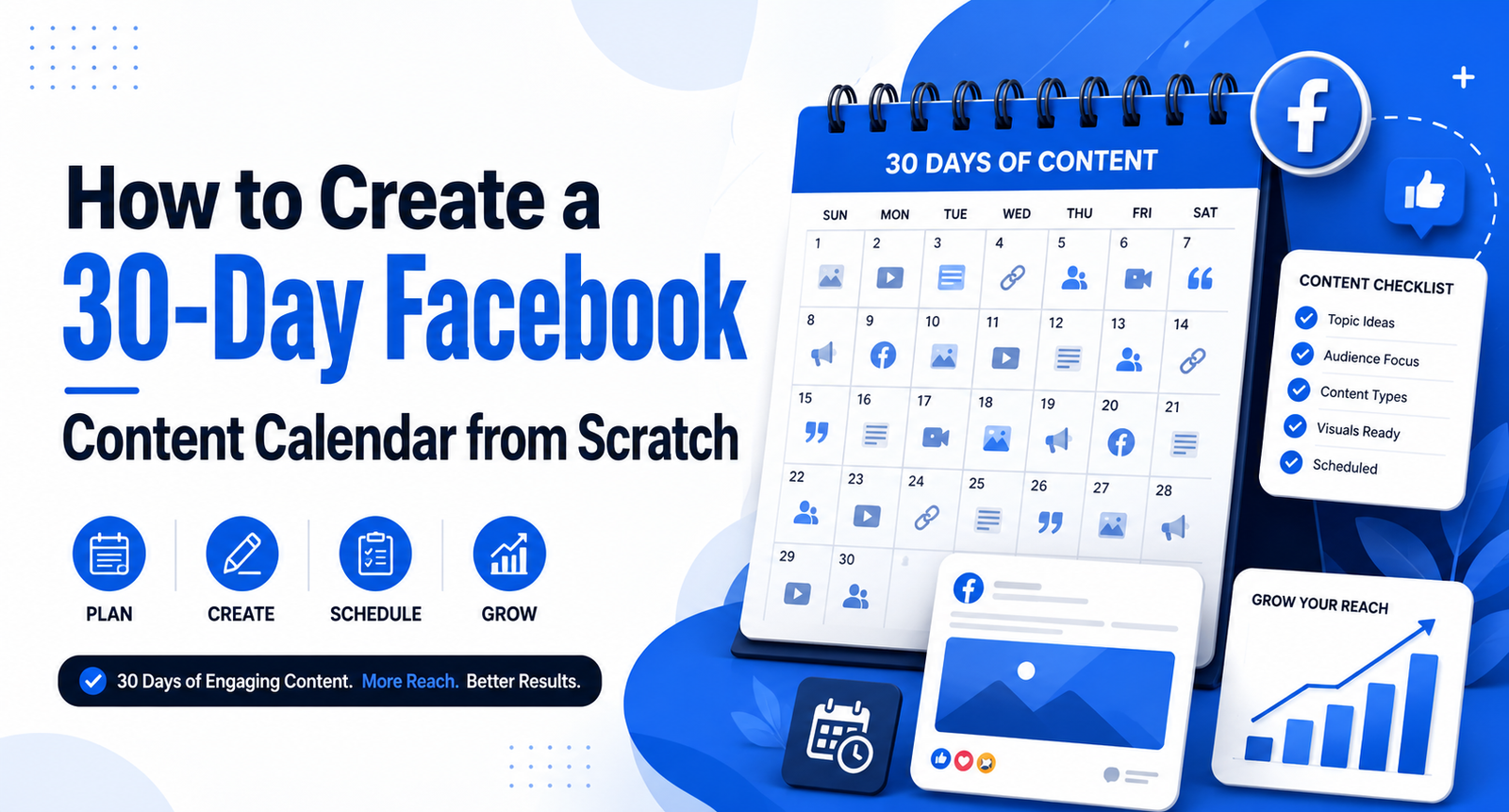
Open a simple spreadsheet and create columns for the date, day of the week, content pillar, post format, caption, visual asset, link (if any), and call to action. Map out all 30 days before you write a single caption.
Start by filling in any fixed dates first. These include product launches, promotions, holidays, local events, or anything time-sensitive. Then fill in the remaining slots using your content pillars and format mix as a guide. Step back and look at the full month. Are the formats varied enough? Is any one pillar dominating? Does the first week feel different from the last? Adjust until the month feels balanced and strategic.
Write Your Captions in Batches
Once the structure is in place, write your captions in one focused sitting rather than one at a time throughout the month. Batching is dramatically more efficient and keeps your brand voice consistent. Write all your educational posts together, then your engagement posts, then your promotional ones.
Every caption needs a hook in the first line since Facebook collapses text after the first sentence or two. Lead with something that makes people stop scrolling. A bold question, a surprising stat, a relatable problem, or a compelling statement all work well. End every post with a clear call to action, whether that is asking a question, inviting people to click a link, share with a friend, or simply drop an emoji in the comments.
Create and Organise Your Visual Assets
Consistent visual branding is what makes a page look professional rather than pieced together. Use a tool like Canva to create templates that share the same fonts, colors, and overall style. This way, even if someone only sees your image without reading who posted it, they can recognize your brand.
Create all your graphics for the month alongside your caption-writing session. Label each file clearly by date or post number and store them in a organized folder. When everything is ready, you can schedule everything in one go and move on with your life.
Schedule Everything in Advance
Use Facebook’s native scheduling tool inside Creator Studio or Meta Business Suite, or opt for a third-party tool like Buffer, Hootsuite, or Later. Scheduling your entire month in one sitting means you are not dependent on your mood, your availability, or your Wi-Fi connection to show up consistently for your audience.
That said, do not treat the calendar as something carved in stone. Leave room to respond to trending topics, share timely news, or pivot when something unexpected happens in your industry or the world. Scheduled content provides the backbone. Spontaneous content adds personality and relevance.
Schedule Everything in Advance
Use Facebook’s native scheduling tool inside Creator Studio or Meta Business Suite, or opt for a third-party tool like Buffer, Hootsuite, or Later. Scheduling your entire month in one sitting means you are not dependent on your mood, your availability, or your Wi-Fi connection to show up consistently for your audience.
That said, do not treat the calendar as something carved in stone. Leave room to respond to trending topics, share timely news, or pivot when something unexpected happens in your industry or the world. Scheduled content provides the backbone. Spontaneous content adds personality and relevance.
Review, Learn and Improve
At the end of the 30 days, go back into your analytics and measure what actually worked. Which posts got the most reach? Which drove the most comments, shares, or link clicks? Which formats underperformed? Use those answers to make your next 30-day calendar smarter than the first one.
A content calendar is not a one-and-done project. It is a living system that improves every month as you learn more about what resonates with your specific audience. The first month teaches you the basics. The second month is where you start seeing real patterns. By month three, you will have a finely tuned content engine that consistently delivers results with a fraction of the effort it once required.