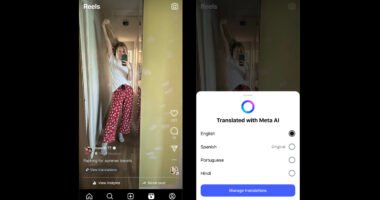

Sometimes, when users save a Reel, the music disappears because of copyright restrictions or app limitations. Fortunately, there are several easy ways to download Instagram Reels with their original audio on Android, iPhone, and PC.
In this guide, you’ll learn safe and simple methods to save Instagram Reels with music in high quality.
Can You Download Instagram Reels With Music?
Yes, you can—but it depends on:
- The creator’s settings
- Copyright restrictions
- The method you use
Instagram now allows some public Reels to be downloaded directly inside the app. Downloaded Reels usually include the original audio and watermark.
However, some Reels may lose music due to licensed audio restrictions.
Why Some Reels Download Without Music
This is a common issue.
Instagram uses licensed music agreements, and some songs cannot legally be downloaded outside the platform. That’s why:
- Some downloaded Reels have muted audio
- Some audio works only inside Instagram
- Certain regions have restrictions on music access
If you want to keep the original sound, using the correct method matters.
How to Download Instagram Reels With Music on Android
Android users have multiple easy options.
Method 1: Using Instagram’s Download Feature
Some public Reels now include a built-in Download button.
Steps:
- Open Instagram
- Find the Reel you want to save
- Tap the Share icon
- Select “Download”
The Reel will save directly to your gallery with audio included if allowed by the creator.
Method 2: Use an Online Reel Downloader
If the download option isn’t available, you can use browser-based tools.
Steps:
- Open Instagram
- Copy the Reel link
- Visit an online downloader
- Paste the link
- Download the Reel in MP4 format
Many online tools support HD video with original sound.
How to Download Instagram Reels With Music on iPhone
Downloading Reels on iPhone is slightly different because of iOS restrictions.
Easy Method:
- Copy the Reel link
- Open Safari browser
- Use an online Reel downloader
- Download the video
- Save it to Files or Photos app
Modern tools work directly in Safari without installing apps.
How to Download Instagram Reels With Music on PC
Downloading on desktop is simple and fast.
Steps:
- Open Instagram in your browser
- Copy the Reel URL
- Paste it into a Reel downloader website
- Click Download
The Reel will save in MP4 format with audio included if supported.
How to Download Only the Audio From Instagram Reels
Sometimes users only want the sound or music.
This is useful for:
- Trending songs
- Voiceovers
- Podcasts
- Meme audio
Simple Process:
- Copy Reel link
- Use an Instagram MP3 downloader
- Convert Reel to MP3
- Download audio file
Several tools allow users to extract Reel audio instantly.
How to Copy Instagram Reel Link
Before downloading, you need the Reel URL.
Steps:
- Open the Reel
- Tap the Share icon
- Select “Copy Link”
Now the link is ready to paste into any downloader.
How to Download Reels in HD Quality
Nobody wants blurry videos.
To download high-quality Reels:
- Use trusted HD download tools
- Avoid low-quality apps
- Choose MP4 format
Some browser-based tools offer HD downloads without watermarks.
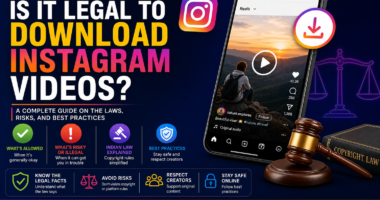
Is It Legal to Download Instagram Reels With Music?
This is important.
Downloading Reels for:
- Personal use
- Offline viewing
- Private storage
…is generally acceptable.
But reposting copyrighted content without permission may violate copyright laws and Instagram policies.
Always:
- Credit creators
- Avoid commercial reuse without permission
- Respect copyright rules